Semi-Automatic Brightness Adjustment for your Geolocation
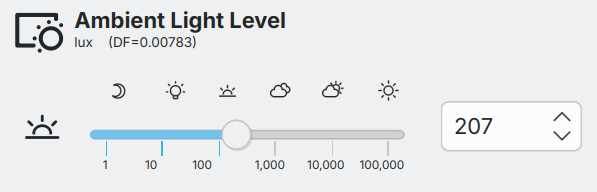
In version 2.4, the ambient-light-level slider has been combined with an estimate of solar-illumination to achieve semi-automatic brightness control throughout the day.
Adjusting the slider sets the ratio between indoor-illumination and outdoor solar-illumination - the Daylight-Factor (DF).
Should circumstances change, adjusting the slider updates the ratio. (Solar-illumination is estimated for a location by using the local date-time to determine sun-angle, and from that, estimates for illumination, and air-mass.)
Each display's brightness is periodically updated by matching the estimated indoor-illumination against each display's custom lux-brightness-response profile.
How to enable it
- Settings Dialog: set your geographic location by using the Detect button ①.
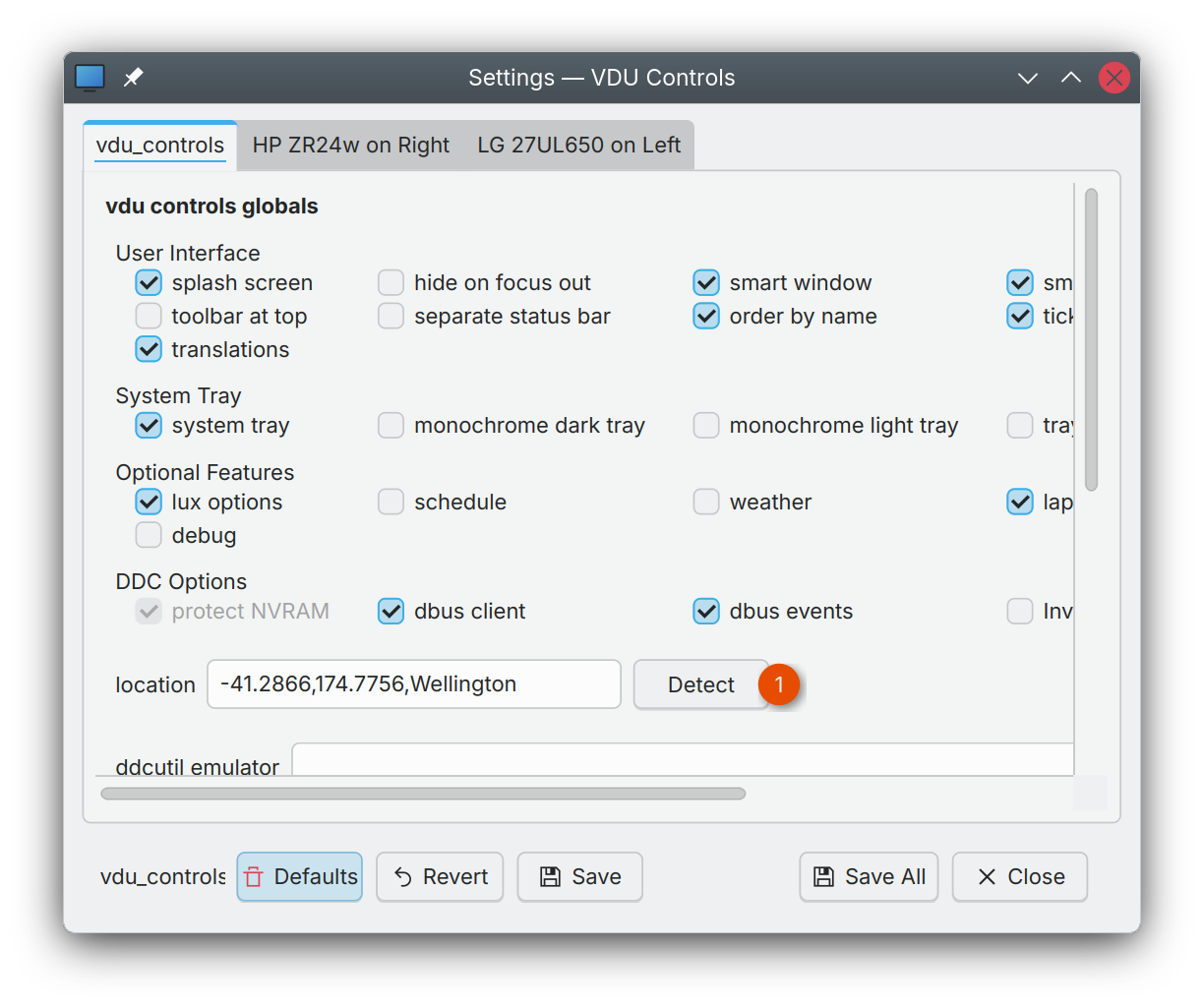
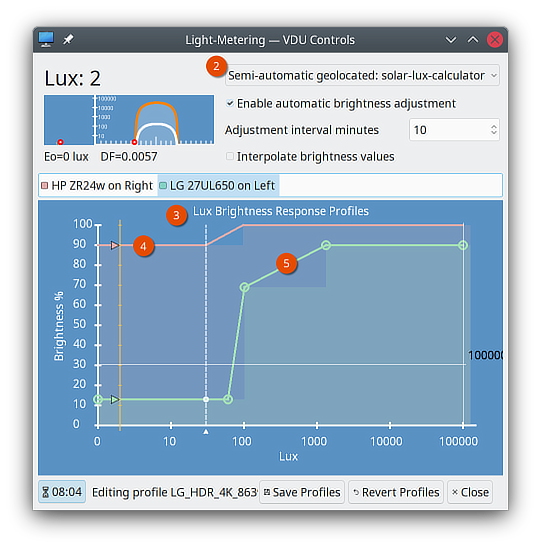
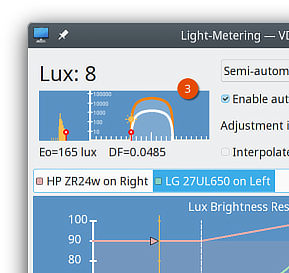
- Light Metering Dialog: set the light-meter to Semi-automatic geolocated ②.
- Setup Profile for each display:
- Pick a display ③ .
- Start by choosing a template ④.
- Optionally adjust the curve by clicking on it to add and remove points ⑤
- Save the profiles ⑥
- Repeat for each display.
Older displays usually have quite limited backlights, their effective operating brightness might vary from 80% to 100%. From night to day, they often work best with a fairly flat and high profile. (The power-supplies in some old displays may generate an audible whine when brightness is turned below 80%.)
Newer displays, with HDR capable backlights have very wide effective ranges, possible 10% to 100%. From night to day, they often require a steep profile varying across the full range from 10% to 100%.
How to use it
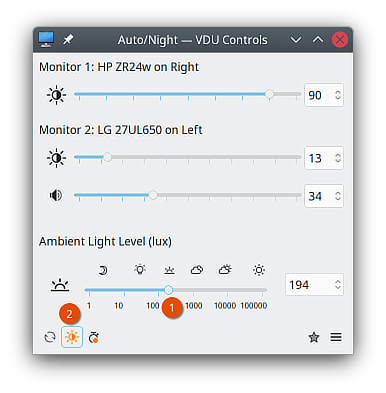
- Set the prevailing indoor light level using the ambient-light-level slider ①.
- If not already enabled, click the sun icon to enable automatic adjustments ②.
- Based on the set profiles, the application will periodically adjust each displays brightness according to the predicted ambient-light-level.
- If conditions change, adjust the ambient-light-level slider ① to establish a new Daylight-Factor (DF).
The Light Metering Dialog live plots the illumination estimates, including the computed indoor Lux, the estimated outdoor lux Eo, and the Daylight-Factor DF. ③
tip
The Preset Dialog can be used to save a Daylight-Factor (DF) in a Preset. For example, you could set up Cloudy-DF and Sunny-DF Presets. (The DF can be the only thing in a preset, you need not include any display controls or features.)